Feature Info
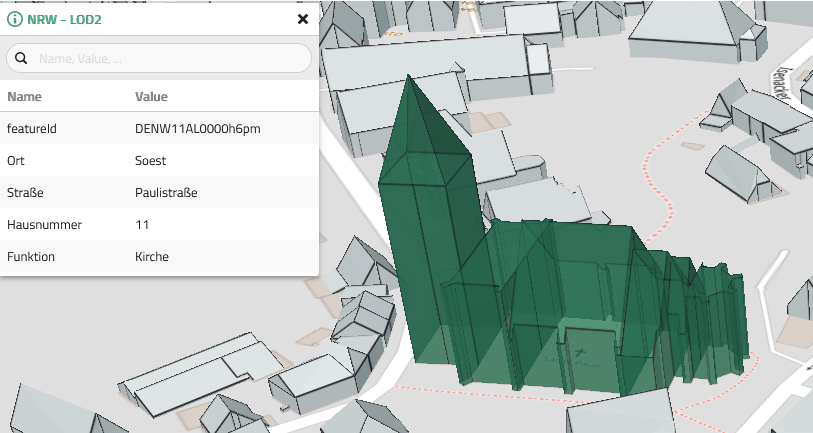
This section configures components that display feature information. The Info Tool of the VC Map allows the display of information about a selected feature. This can be done in different ways, e.g. as table view or as a popup (balloon).
Clicking on  opens the selection menu to create a new Feature Info definition. The menu lists the available Feature Info types. When selected, the corresponding Feature Info Editor opens.
| Items configured under this section are available for selection in the Layers section under Handling in map. To enable the Info Tool for a particular layer, Feature Info must be set on the layer. |
| The general actions for editing components are explained here. |
The following parameters can be configured for the respective feature info view:
Table view
The table view allows a compact, sortable and searchable display of feature information.
General Settings
| Option | Description |
|---|---|
Name (ID) |
Unique Name (Identifier) for referencing. |
Attribute keys |
List of keys to filter attributes of selected feature. |
Key Mapping |
Object providing text replacements or i18n strings for attribute keys. To replace a specific attributeKey follow this scheme: Nested keys to replace are represented by a dot, e.g. |
Value Mapping |
Object providing text replacements or i18n strings for attribute values.
The original value can be accessed using template string |
Table Settings
| Option | Description |
|---|---|
Items per page |
Default number of items shown per page. |
Selection items per page |
Available options for items per page. |
Show searchbar |
Show or hide searchbar. |
Searchbar placeholder |
Customize searchbar placeholder. |
Embedded view (Iframe)
The embedded view (Iframe) allows to reference external content.
General Settings
| Option | Description |
|---|---|
Name (ID) |
Unique Name (Identifier) for referencing. |
Attribute keys |
List of keys to filter attributes of selected feature. |
Key Mapping |
Object providing text replacements or i18n strings for attribute keys. To replace a specific attributeKey follow this scheme: Nested keys to replace are represented by a dot, e.g. |
Value Mapping |
Object providing text replacements or i18n strings for attribute values.
The original value can be accessed using template string |
Embedded view (Iframe) Settings
| Option | Description |
|---|---|
URL |
Specifies the address of the document to embed in the <iframe>. Variables in template string within |
Iframe Title |
Optional title for the <iframe> |
Popup (Ballon)
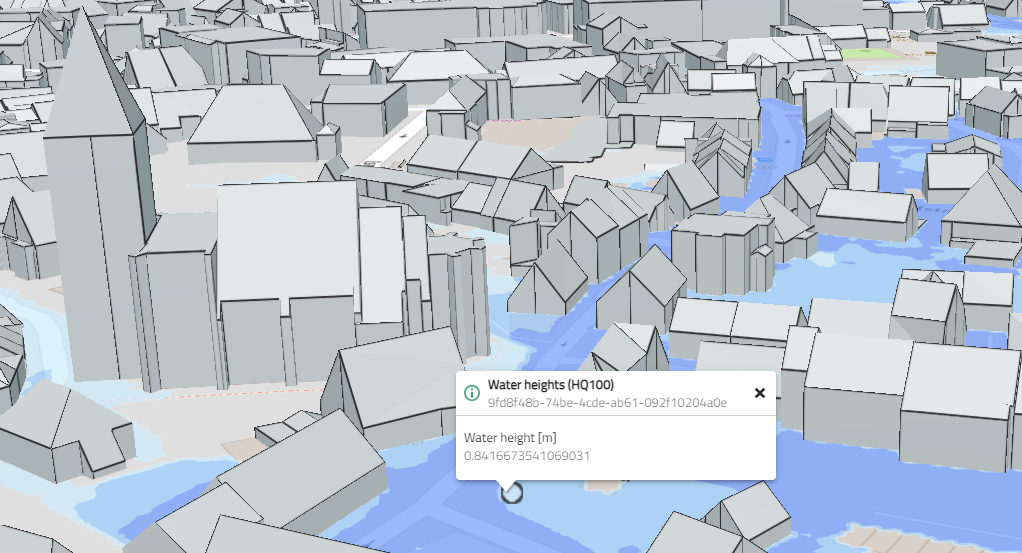
The popup (balloon) view is opened on top of the feature, which is useful to emphasize location based information.
| You should use Attribute keys to limit the number of attributes rendered inside the balloon. For a long list of attributes the Table view is to be preferred. |
General Settings
| Option | Description |
|---|---|
Name (ID) |
Unique Name (Identifier) for referencing. |
Attribute keys |
List of keys to filter attributes of selected feature. |
Key Mapping |
Object providing text replacements or i18n strings for attribute keys. To replace a specific attributeKey follow this scheme: Nested keys to replace are represented by a dot, e.g. |
Value Mapping |
Object providing text replacements or i18n strings for attribute values.
The original value can be accessed using template string |
Popup (balloon) Settings
| Option | Description |
|---|---|
Title |
Optional title to overwrite default ( |
Subtitle |
Optional subtitle to overwrite default ( |
Popup (Ballon) for addresses
The popup (balloon) for addresses is a specialised version of Popup (Ballon) to view address information on top of the feature.
General Settings
| Option | Description |
|---|---|
Name (ID) |
Unique Name (Identifier) for referencing. |
Attribute keys |
List of keys to filter attributes of selected feature. |
Key Mapping |
Object providing text replacements or i18n strings for attribute keys. To replace a specific attributeKey follow this scheme: Nested keys to replace are represented by a dot, e.g. |
Value Mapping |
Object providing text replacements or i18n strings for attribute values.
The original value can be accessed using template string |
Popup (balloon) Settings
| Option | Description |
|---|---|
Title |
Optional title to overwrite default ( |
Subtitle |
Optional subtitle to overwrite default ( |
Address name |
Key to evaluate for name. Default is |
Street |
Key to evaluate for street. Default is |
Number |
Key to evaluate for house number. Default is |
City |
Key to evaluate for city. Default is |
ZIP Code |
Key to evaluate for zip code. Default is |
Country |
Key to evaluate for country. Default is |
| Apply applies the changes made to the displayed app. See also Editing and saving. |