Layer Settings - Configuration
This section describes how to configure the Layer Settings plugin.
|
In the finished app, the plugin can be accessed by clicking |

Clicking on  opens the Plugin Editor window, which shows the available configuration options:
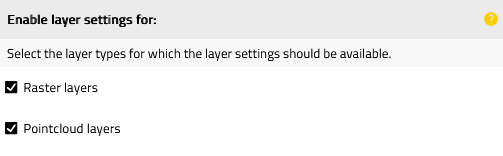
Figure 1. Menu for the configuration of the Layer Settings plugin
The following settings are possible:
| Option | Description |
|---|---|
Raster layers |
Defines whether the plugin is enabled for the raster layers. |
Pointcloud layers |
Defines whether the plugin is enabled for the pointcloud layers. |